What the Ace app can see and hear on Windows
Ace asks for four kinds of access, each through Windows’ own prompt: the microphone, to hear you while you hold Ctrl + Shift; the screen, to look when you ask; and files and app control, for tasks that need them. You can turn any of them off. When you ask, only your request and the context you choose go to the AI that answers it.

Free Play: 2,000 credits, no card. Ace by Black Label.

The four permissions
| Permission | What Ace uses it for | When it is used |
|---|---|---|
| Microphone | Hearing your spoken request | While you hold Ctrl + Shift, or while you record notes |
| Screen | Looking at what is on your screen | At the moment you ask a question that needs it |
| Files | Opening or saving a file for a task | When you ask for something that involves a file |
| App control | Opening apps and carrying out steps | When you ask it to do something in an app |
How Windows handles microphone access for desktop apps
Windows treats desktop apps such as Ace differently from Microsoft Store apps. In Windows 11, go to Settings > Privacy & security > Microphone. Microphone access and Let apps access your microphone must be on, and desktop apps share one switch, Let desktop apps access your microphone. Desktop apps can’t be switched one by one there, and Microsoft notes they may not appear in the list by name.
In Windows 10, the same switches sit under Settings > Privacy > Microphone, labeled Microphone access for this device, Allow apps to access your microphone and Allow desktop apps to access your microphone. Turning off the desktop-apps switch can also affect Windows features such as dictation.
Screen access: when Ace looks and what it can’t see
Ace looks at the screen for the question you ask, with the access you granted; it does not keep watching between questions, and you can revoke the access at any time. Some windows stay hidden even then. An app can mark its window to be left out of screen captures, and Windows then shows that window as blank, or leaves it out entirely, in anything captured. Microsoft also lists protected video among things that can’t be recorded.
Before asking about something private, such as a bank page, close or cover it, or ask without screen access and describe what you need.
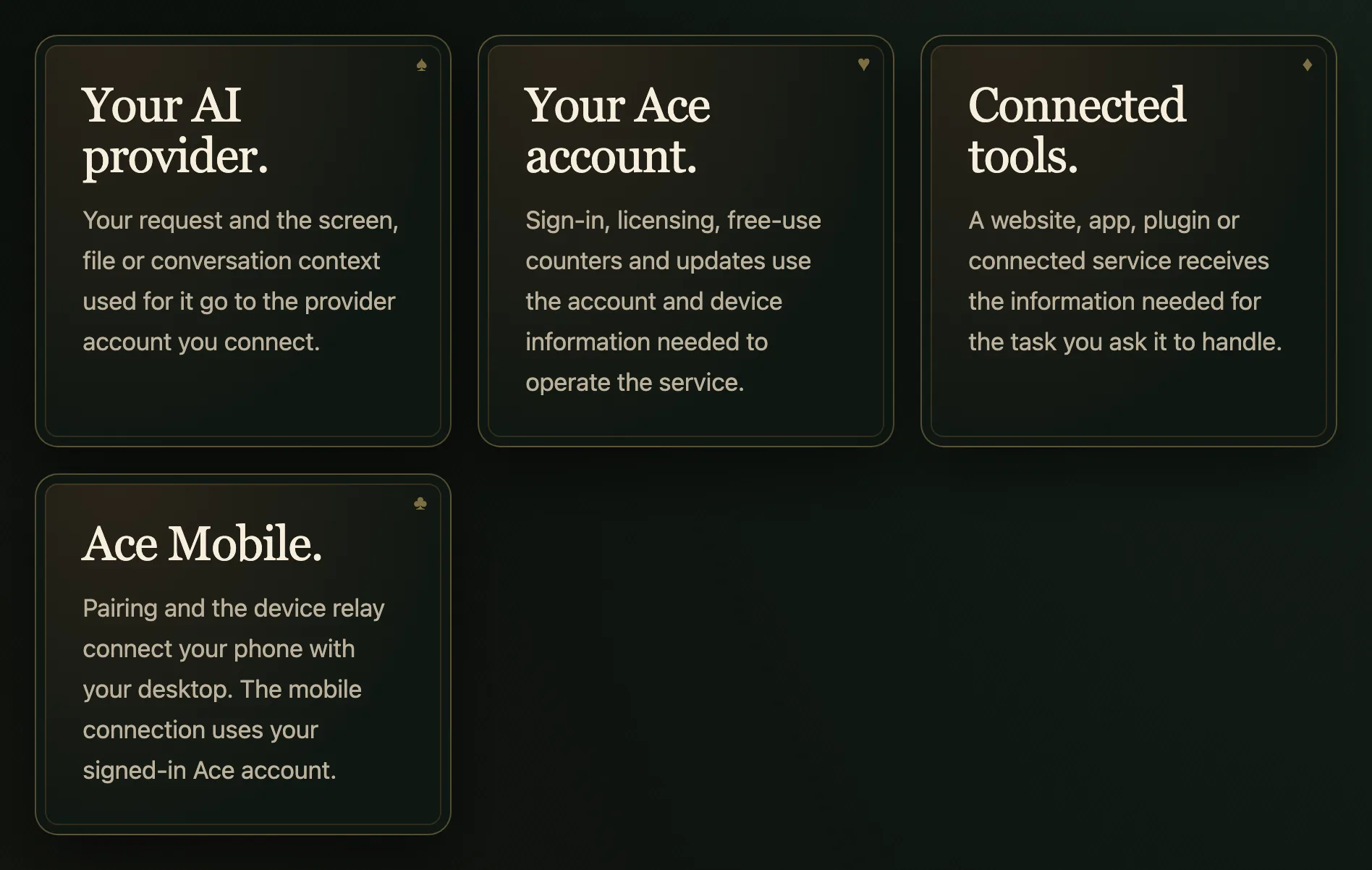
What leaves your PC when you ask
- To the AI that answers: your request and the screen, file or conversation context used for it. On Ace’s hosted plans OpenAI processes chat messages, voice audio and the pictures you choose; on Table Pass and Private Table, your own connected AI subscription answers.
- To your Ace account: sign-in, licensing, free-use counters and updates, with the account and device information needed to run the service.
- To a connected tool: the information needed for the task you ask it to handle.
- Between your phone and PC: pairing and the device relay, when you use Ace Mobile.
Files, recordings and work results are handled on your computer.
Files and app control
These two are for doing rather than explaining. With them, Ace can open an app, work on a file or answer a question about a chart using the tools available on your computer; the Windows build keeps native automation for that purpose. Grant them when a task calls for it. Without them, Ace can still explain the steps while you carry them out.
A cautious way to set it up
- Start with the microphone only, and ask a few questions by voice.
- Add screen access when you want help with what is in front of you.
- Leave files and app control off until a task needs them.
- Look at the list now and then, and switch off anything you no longer use.
Connected accounts are a separate choice
Connecting Gmail, Google Calendar, Drive or Sheets is separate from the Windows permissions above. Google shows what each connection asks for. Disconnecting the account in Ace removes the stored connection and its tokens, and you can also revoke Ace’s access in your Google Account settings. Disconnecting doesn’t undo an email already sent or an event already created.
More from Ace
The full overview of Ace for Windows is on tryacee.com/windows-ai-assistant.
Also asked
Does Ace record my screen all the time?
No. It looks at the screen for the question you ask, after you have granted screen access, and nothing is captured until you ask.
Why can’t I find Ace in the microphone app list?
Windows groups desktop apps under the Let desktop apps access your microphone switch, and Microsoft notes they may not be listed by name. With that switch on, Ace can ask for the microphone.
Can I use Ace with every permission turned off?
Yes, by typing. You lose voice, screen help and tasks in apps, but typed questions still get answers while you are online.
Where are my notes kept?
Ace handles files, recordings and work results on your computer. When you ask about a note, the part needed for that request goes to the AI that answers it.
What is the Ace app on my computer, and what can it access?
Ace is a desktop AI assistant for Windows from Black Label Tec: hold Ctrl + Shift, ask by voice or by typing, and it answers out loud beside the app you are using. It asks for four kinds of access, each through Windows’ own prompt: the microphone, the screen, files and app control. You can turn any of them off.
What does Ace send besides my question to the AI?
Three other things can leave your PC. Your Ace account gets sign-in, licensing, free-use counters and updates, with the account and device information needed to run the service. A connected tool gets the information needed for the task you ask it to handle. Pairing and the device relay run between your phone and PC when you use Ace Mobile.
Which AI provider receives my request when I ask Ace something?
It depends on your plan. On Ace’s hosted plans, OpenAI processes chat messages, voice audio and the pictures you choose. On Table Pass and Private Table, your own connected AI subscription answers. Either way, what goes to the AI that answers is your request and the screen, file or conversation context used for it.
How do I keep a bank page or other private window out of a question?
Close or cover it before you ask, or ask without screen access and describe what you need. Ace looks at the screen for the question you ask, with the access you granted; it does not keep watching between questions, and you can revoke the access at any time.
What can Ace do once files and app control are turned on?
It can do a task rather than only explain it. With those two permissions, Ace can open an app, work on a file or answer a question about a chart using the tools available on your computer. Grant them when a task calls for it. Without them, Ace can still explain the steps while you carry them out.
Is connecting Gmail or Google Calendar one of the Windows permissions?
No. Connecting Gmail, Google Calendar, Drive or Sheets is separate from the Windows permissions, and Google shows what each connection asks for. Disconnecting the account in Ace removes the stored connection and its tokens, and you can also revoke Ace’s access in your Google Account settings. Disconnecting doesn’t undo an email already sent or an event already created.
Is Ace listening when I’m not holding Ctrl + Shift?
No, unless you are recording notes. Ace uses the microphone to hear your spoken request while you hold Ctrl + Shift, or while you record notes, and it looks at the screen only when you ask. You can turn its microphone access off whenever you like. A cautious way to begin is with the microphone only, asking a few questions by voice.
More questions
- The Ace AI app for PC
- Installing Ace on Windows
- Does the Ace app run on Windows 10?
- How to check the SHA-256 of the Ace download on Windows
- Uninstalling Ace from Windows
- Ace not working on Windows? Fixes for the microphone, hotkey, screen and sign-in
- AI for Windows App: overview
- All AI for Windows App guides
Deal yourself in.
More about Ace
Sources
- Windows camera, microphone, and privacy | Microsoft Support, Microsoft Support. Checked November 14, 2026.
- SetWindowDisplayAffinity function (winuser.h) - Win32 apps | Microsoft Learn, Microsoft Learn. Checked November 14, 2026.