The Ace AI app for PC
Ace for Windows is a desktop AI assistant: hold Ctrl + Shift, ask by voice or by typing, and it answers out loud beside the app you are using, looking at your screen only when you ask. You download it from your Ace account, and it starts on Free Play with 2,000 credits and no card.

Free Play: 2,000 credits, no card. Ace by Black Label.

What the Windows app does
- Answers in its own voice, or in text when you type, and takes follow-ups without starting over.
- Looks at your screen when you ask about something on it, once you have allowed screen access.
- Explains, drafts and summarizes in the app you already have open, such as a browser, Excel or Outlook.
- Keeps notes from a lecture or meeting, with key points and flashcards, which you check against the saved result.
- Opens apps and works with files when you give it the matching permissions.
What is in the current build
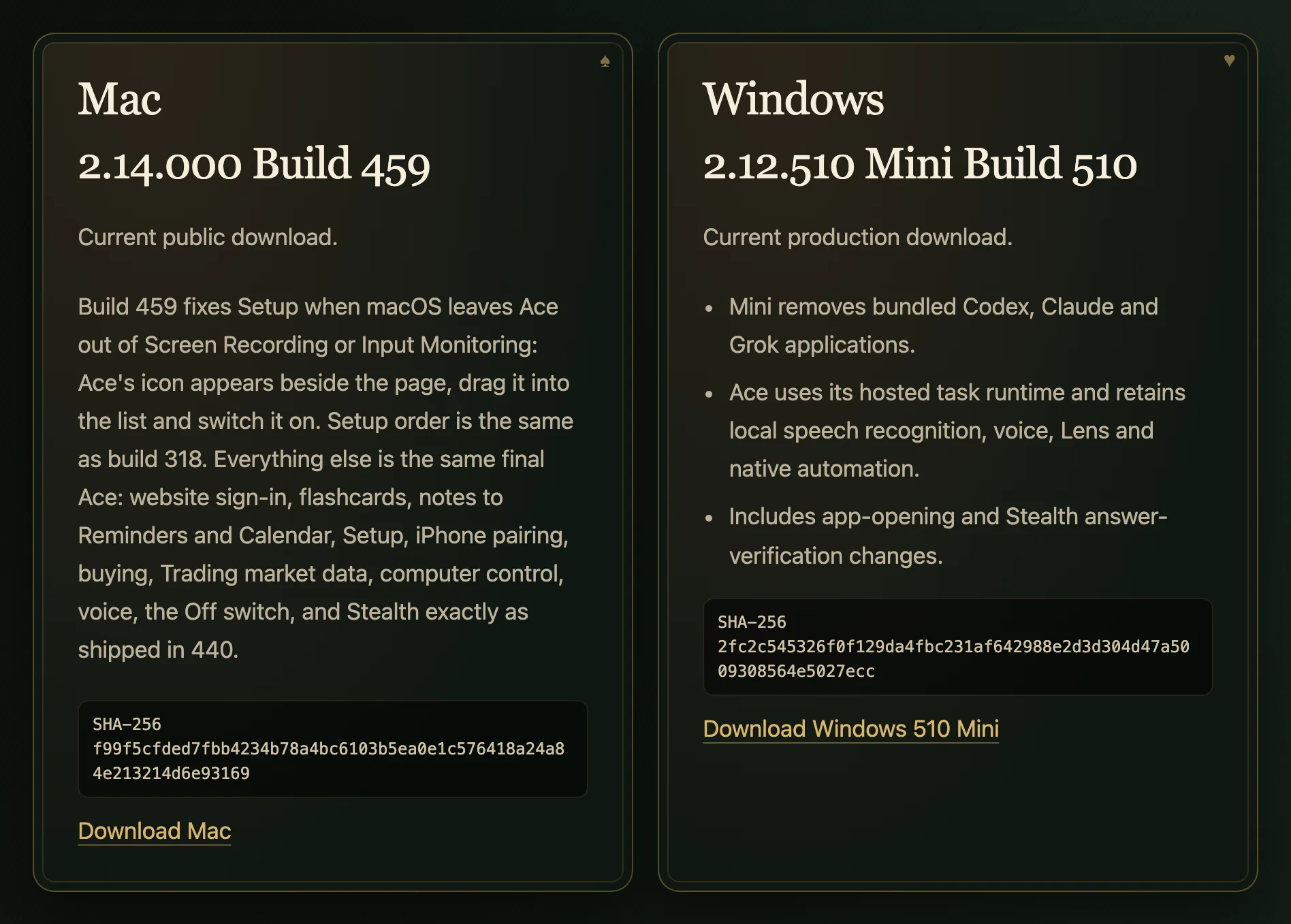
Open the Ace changelog and find the Windows section for the current signed installer, its release notes and its SHA-256 checksum.
The Mac app has its own build numbers. Compare your PC with the Windows entry in the changelog.
The Windows app or Ace web chat?
Both use one account and one balance. What differs is what they can reach:
| Windows app | Ace web chat | |
|---|---|---|
| Questions about your PC screen | Yes, after you allow screen access and ask | Ace names the desktop app as the route for screen help |
| Starting a question | Hold Ctrl + Shift, or type | Type, or use voice in the browser |
| Where it runs | The Windows PC it is installed on | Any up-to-date browser, including your phone’s |
| Account and credits | Your Ace account and balance | The same account and balance |
Where to download it
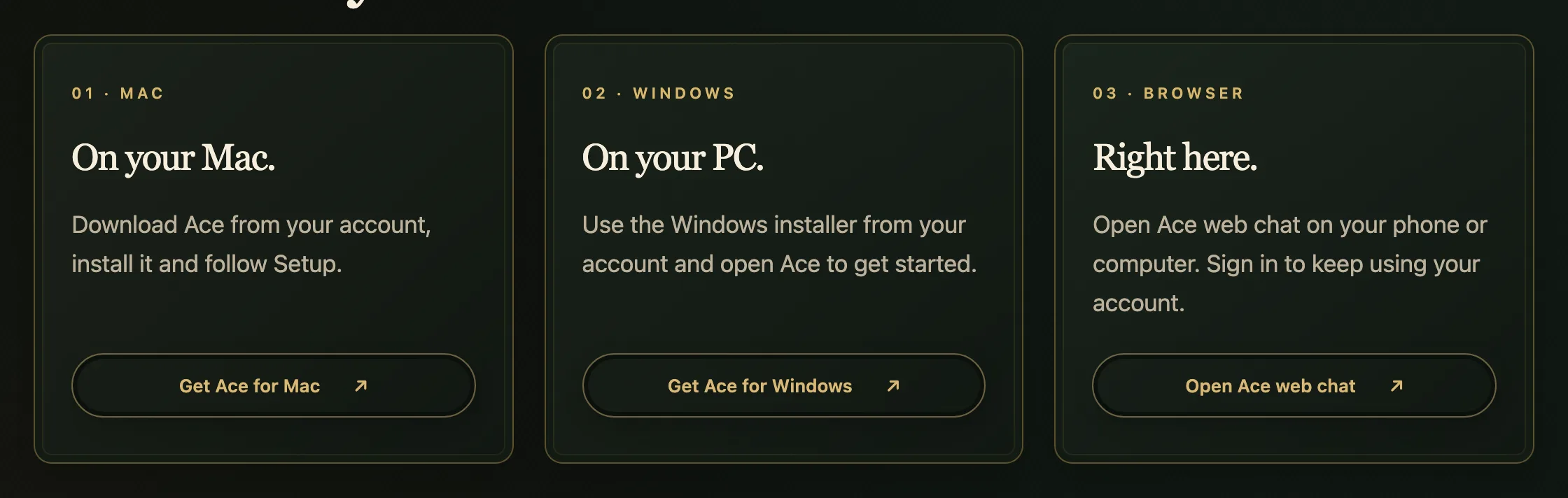
The Windows installer is offered inside your Ace account at tryacee.com, so the first step is an account: choose Continue with Google, or enter your email address and open the sign-in link Ace sends. The link expires after 15 minutes, and no password is involved. Then choose the Windows download and run it.
Download Ace only from your own account. The release record lists the SHA-256 fingerprint of each build Ace offers, so you can confirm the file you have is the file that was released.
What it costs to run
Free Play gives you 2,000 credits with no card. Each request spends credits; the amount depends on the request, the model and the service, and voice and images use credits too. When you need more, buy a one-time top-up (Starter, $10 for 5,000 chips; Reload, $50 for 20,000) or choose a monthly plan from $20 to $200. Two of those plans, Table Pass and Private Table, run Ace on your own ChatGPT, Claude or Grok subscription instead of Ace’s hosted AI.
Using it with your phone
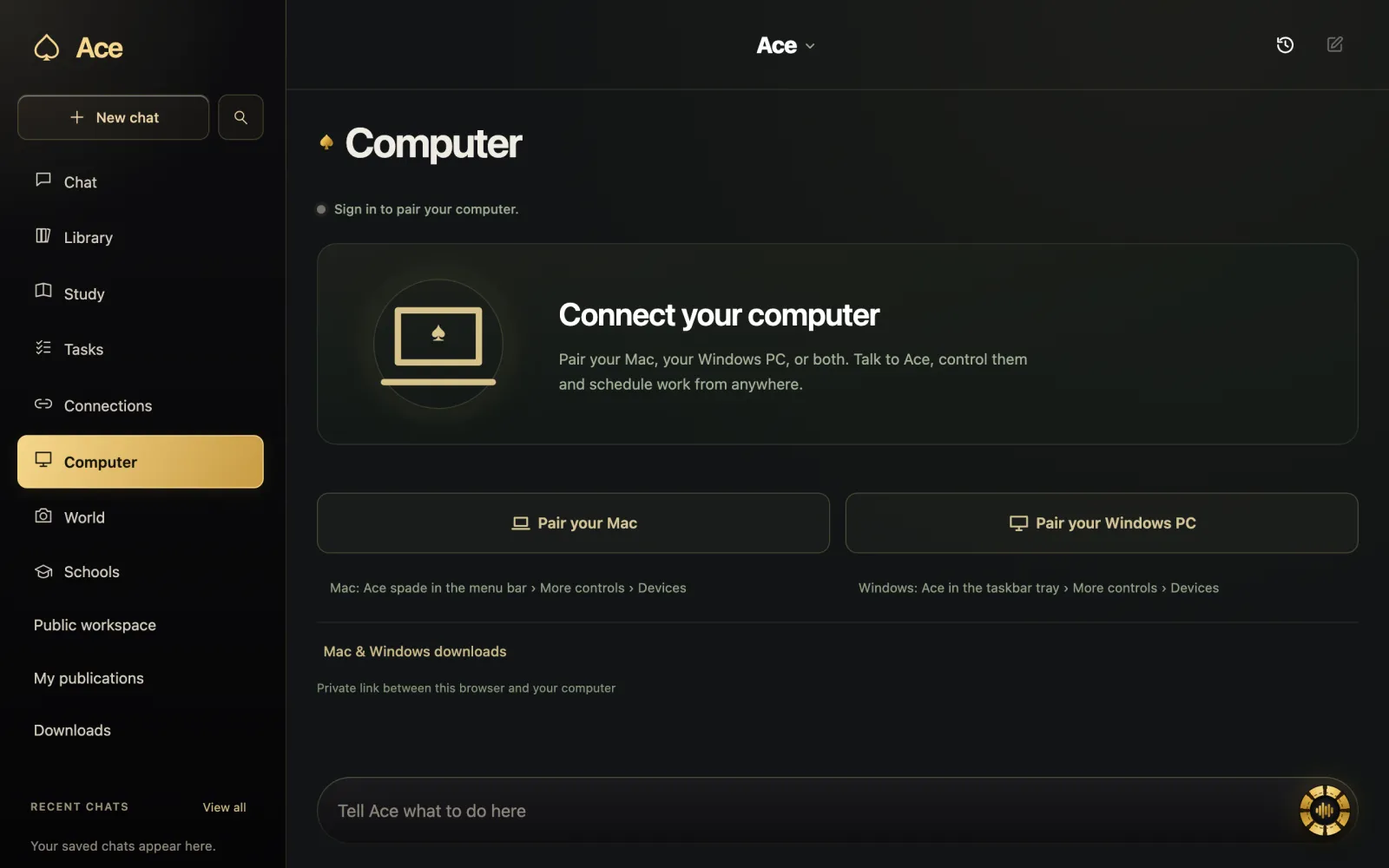
Ace Mobile connects to your signed-in desktop from your phone. In Ace web chat, the Computer space is where you pair a Mac or Windows PC so you can talk to Ace from anywhere. Pairing and the device relay run through your signed-in Ace account. On the phone, the camera stands in for the screen when you ask about something in front of you.
What it does not do
Ace does not answer without a connection: its AI is hosted, so every question goes online. It does not watch your screen in the background; it looks when you ask. And it does not call for new hardware: Ace’s platform list names Windows 11 and Windows 10, not a particular processor or a Copilot+ PC.
More from Ace
The full overview of Ace for Windows is on tryacee.com/windows-ai-assistant.
Also asked
Is the Ace app for PC free?
It starts free: Free Play includes 2,000 credits and needs no card. You pay only if you add a top-up or choose a plan.
Where can I check the current Windows build?
The Windows section at tryacee.com/changelog lists the current signed installer, its build number, release notes and checksum.
Is there a Mac version?
Yes, for Macs on macOS 13 or later, on Apple silicon or Intel Macs. One Ace account and one balance cover your PC, your Mac, your phone and the web.
Does Ace for PC answer without internet?
No. The app runs on your PC, but the answers come from hosted AI, so asking needs a connection.
What is the difference between the Ace Windows app and Ace web chat?
The difference is what each can reach. The Windows app answers questions about your PC screen after you allow screen access and ask, and you start a question by holding Ctrl + Shift or typing. Ace web chat runs in any up-to-date browser, including your phone’s, and names the desktop app as the route for screen help. Both use one account and one balance.
Where do I download the Ace AI app for PC?
From inside your Ace account at tryacee.com. Create the account first: choose Continue with Google, or enter your email address and follow the sign-in link Ace sends. Then choose the Windows download and run it. Download Ace only from your own account, and use the SHA-256 fingerprint on the release record to confirm the file is the one that was released.
Can I run Ace on my own ChatGPT, Claude or Grok subscription?
Yes. Two monthly plans, Table Pass and Private Table, run Ace on your own ChatGPT, Claude or Grok subscription instead of Ace’s hosted AI. Table Pass is $20 a month and Private Table is $75 a month, and hosted AI chips are purchased separately on both. On Free Play and the hosted plans, Ace’s AI is built in, so there is nothing to connect.
How do I reach my PC from my phone with Ace?
Pair the PC in the Computer space. In Ace web chat, the Computer space is where you pair a Mac or Windows PC so you can talk to Ace from anywhere, and Ace Mobile connects to your signed-in desktop from your phone. Pairing and the device relay run through your signed-in Ace account. On the phone, the camera stands in for the screen.
Can the Ace app for Windows take notes from a lecture or meeting?
Yes. The Windows app keeps notes from a lecture or meeting, with key points and flashcards, which you check against the saved result. Capture a class or meeting, then open the structured notes, key points and follow-up items. The microphone is used while you hold Ctrl + Shift, or while you record notes.
Does the Ace app work with Excel, Outlook and my browser?
Yes. Ace explains, drafts and summarizes in the app you already have open, such as a browser, Excel or Outlook. Hold Ctrl + Shift, ask by voice or by typing, and it answers out loud beside the app you are using. It looks at your screen when you ask about something on it, once you have allowed screen access.
Do voice requests and images use credits in the Ace app?
Yes. Each request spends credits, and voice and images use credits too. The amount depends on the request, the model and the service. Free Play gives you 2,000 credits with no card. When you need more, buy a one-time top-up, which starts at $10 for 5,000 chips, or choose a monthly plan.
More questions
- Installing Ace on Windows
- Does the Ace app run on Windows 10?
- What the Ace app can see and hear on Windows
- How to check the SHA-256 of the Ace download on Windows
- Uninstalling Ace from Windows
- Ace not working on Windows? Fixes for the microphone, hotkey, screen and sign-in
- AI for Windows App: overview
- All AI for Windows App guides